Cadenceby Gaidant

Keep the whole
site in step.

AI-assisted capture. Connected quality, safety and site progress. Give your team one place to capture evidence, coordinate the next action and keep work moving.

For site teams, engineers and project managers
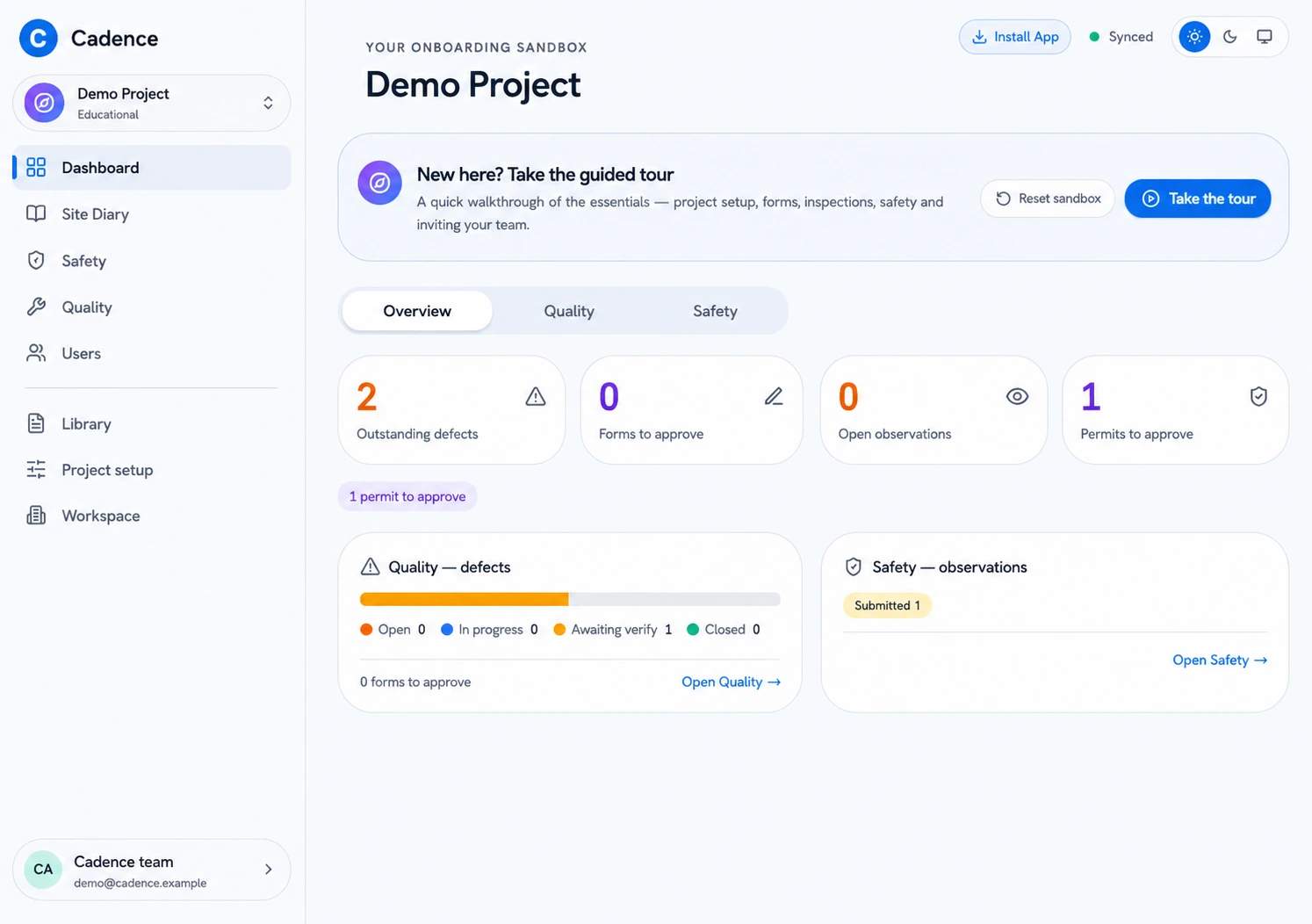
Your project, at a glance
AI-generated Cadence dashboard illustration showing defects, forms, observations and permits.
AI-generated product illustration · Sample data
01Quality & defects02Safety & permits03Site diary04Inspections05Handover

Inside the platform

One workspace.
Every part of the job.

Explore the workflows your team uses every day, through Cadence-branded product illustrations.

01 / Quality

From the first photo to verified closure.

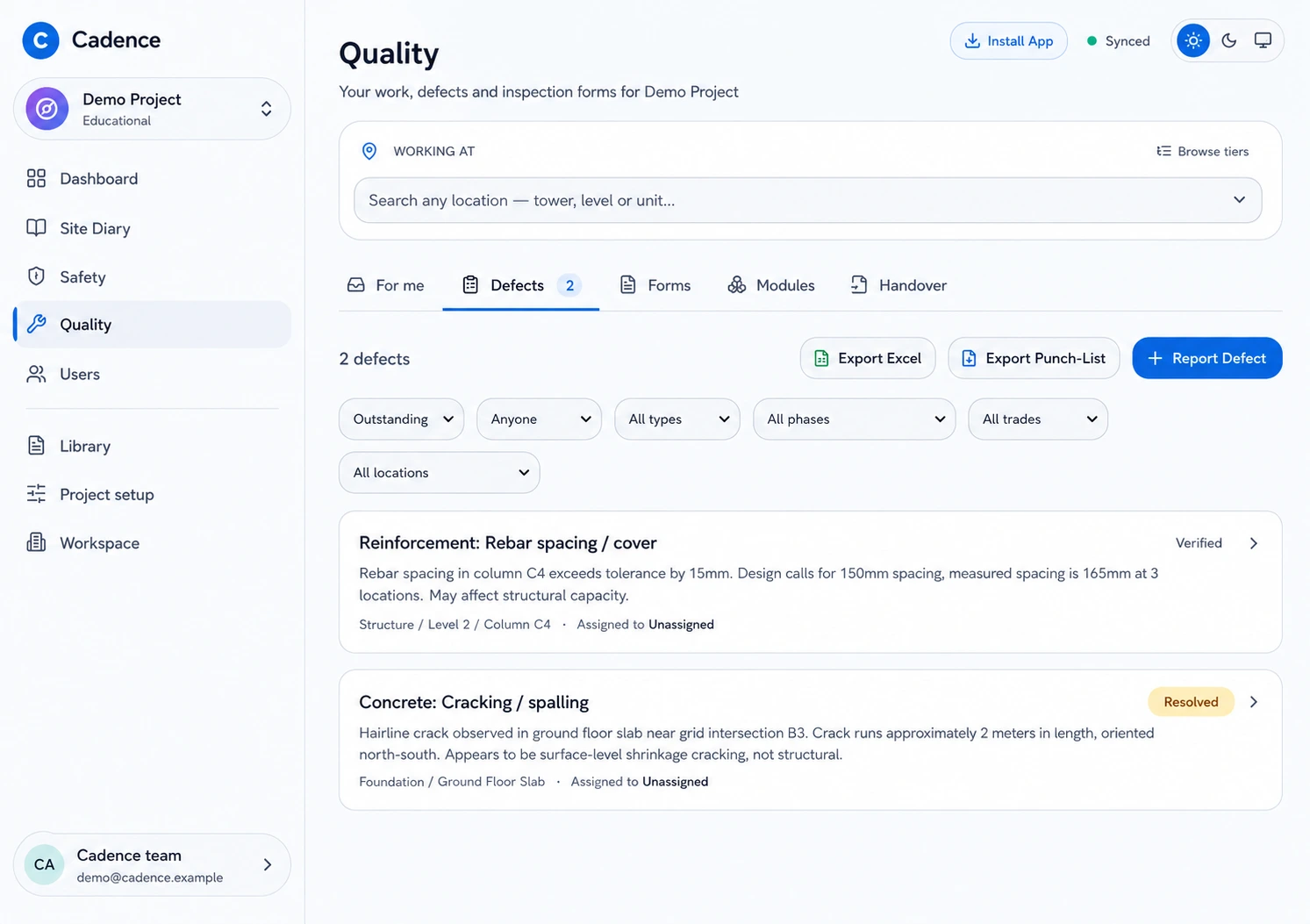
Use AI to suggest defect details from a photo, then review and edit the draft. Keep the evidence, location and responsible team connected through rectification and closure.

  • Photo evidence and location-based records
  • Assignments, status tracking and verification
  • Excel and punch-list exports
Cadence quality register with location filters, defect evidence descriptions and verified or resolved statuses.
AI-generated product illustration · Sample data

A clear path from capture to closeout

Keep the context.
Move the work forward.

The photo, the location, the responsible team and the decision belong together.

01

Capture on site

Record an observation or defect with photos, notes and its project location.

02

Coordinate the action

Assign the work, follow its status and keep the supporting evidence in view.

03

Review and close

Route the record through review, verify the work and retain its history.

Set up around your project

A shared system.
Your way of working.

Start with the locations, people and forms that reflect your site, then give everyone a consistent way to work.

Project locations

Organise towers, levels and units so every record has a clear place.

Roles and access

Bring the right people into the workspace with defined responsibilities.

Reusable forms

Set up templates and approval flows your teams can use again.

Guided onboarding

Use a guided demo workspace to learn the workflows with sample records.

Cadence FAQ

What teams ask before a demo.

A quick guide to the workflows, setup and first step with Cadence.

What does Cadence cover?
Cadence brings quality and defects, safety observations and permits, inspections, site diaries and handover into one shared workspace. Records stay connected to their project location, evidence, responsible team and next action.
Who is Cadence designed for?
Cadence is designed for site teams, engineers and project managers who need a consistent way to capture evidence, coordinate follow-up and see what is ready or outstanding across a project.
Can Cadence reflect our project structure and forms?
Yes. A workspace can be organised around your project locations, people, roles and reusable forms, so records follow a structure the team already understands.
How does AI-assisted capture work?
For supported workflows, Cadence can suggest details from a photo or record to reduce repetitive entry. A person reviews and edits the suggestion before it becomes part of the project workflow.
How do we get started?
Start with a Cadence demo. We will walk through the relevant workflows, understand how your project operates and, if there is a fit, scope a focused pilot around one project and team.

Start with one project

See how Cadence fits your site.

Walk through the platform with us and scope a pilot around your team.

Let’s talk Cadence